
Hi fellow makers

I’m David, a founder at Uclusion, here to tell you why you will enjoy using our product.
Solo
Even for a solo dev Uclusion is a major upgrade from other tools.
Collaborate with AI
Use Uclusion’s much richer UI to plan a job and have AI be able to access it’s markdown, respond to agent questions and options, and even get AI’s opinion of a planned job via the approval interface.
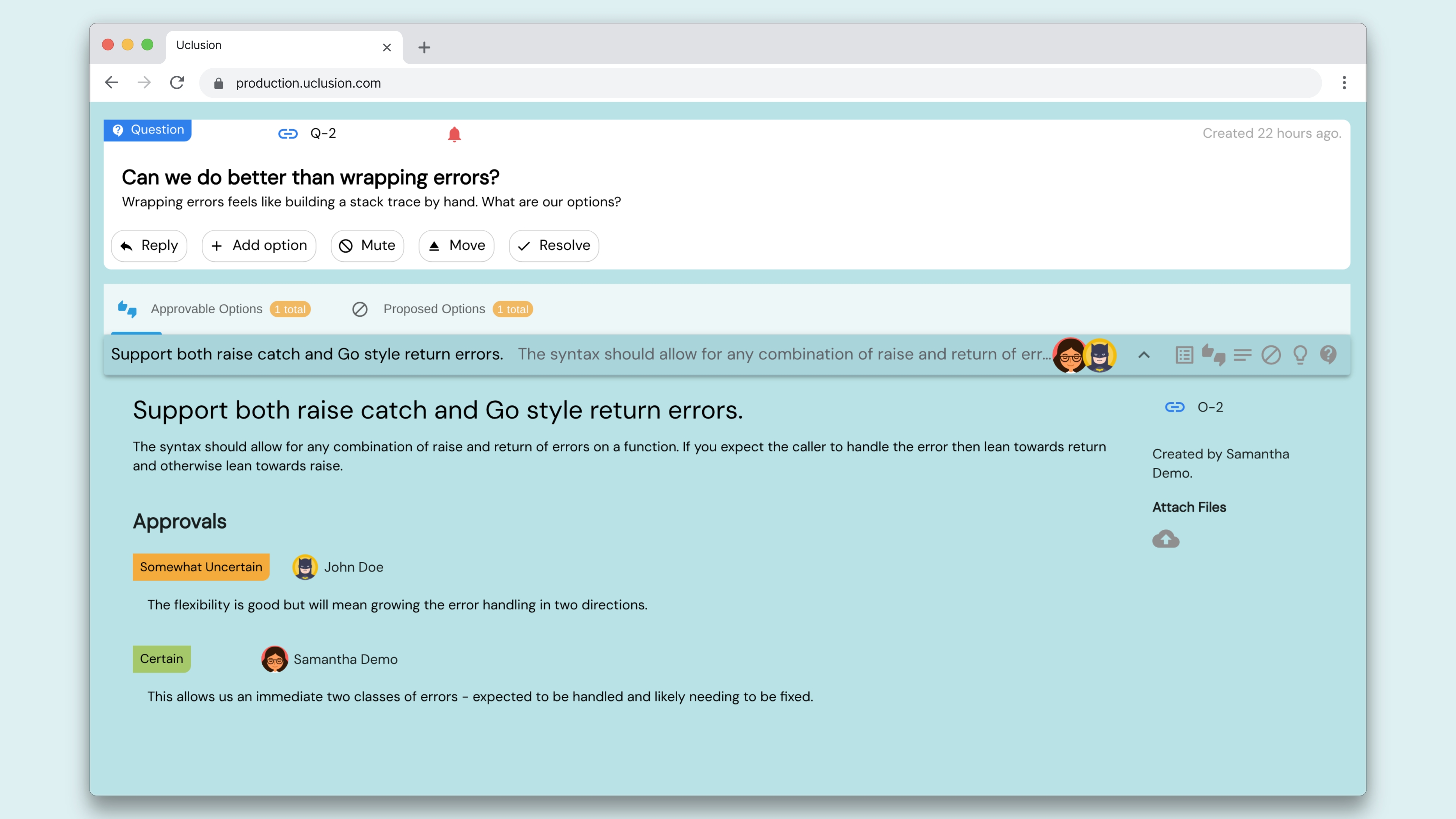
For a complex job AI can ask many questions and some of those questions may have involved options. Uclusion’s questions and options are a first class feature that is much better than chat and another human can join in easily to give an opinion.
Visualization
Instead of unstructured, custom user labels like ’In Progress’, Uclusion uses built-in job stages. Because the system
actually understands the true state of a job, we can provide help wizards, display appropriate context, and even optimize navigation.
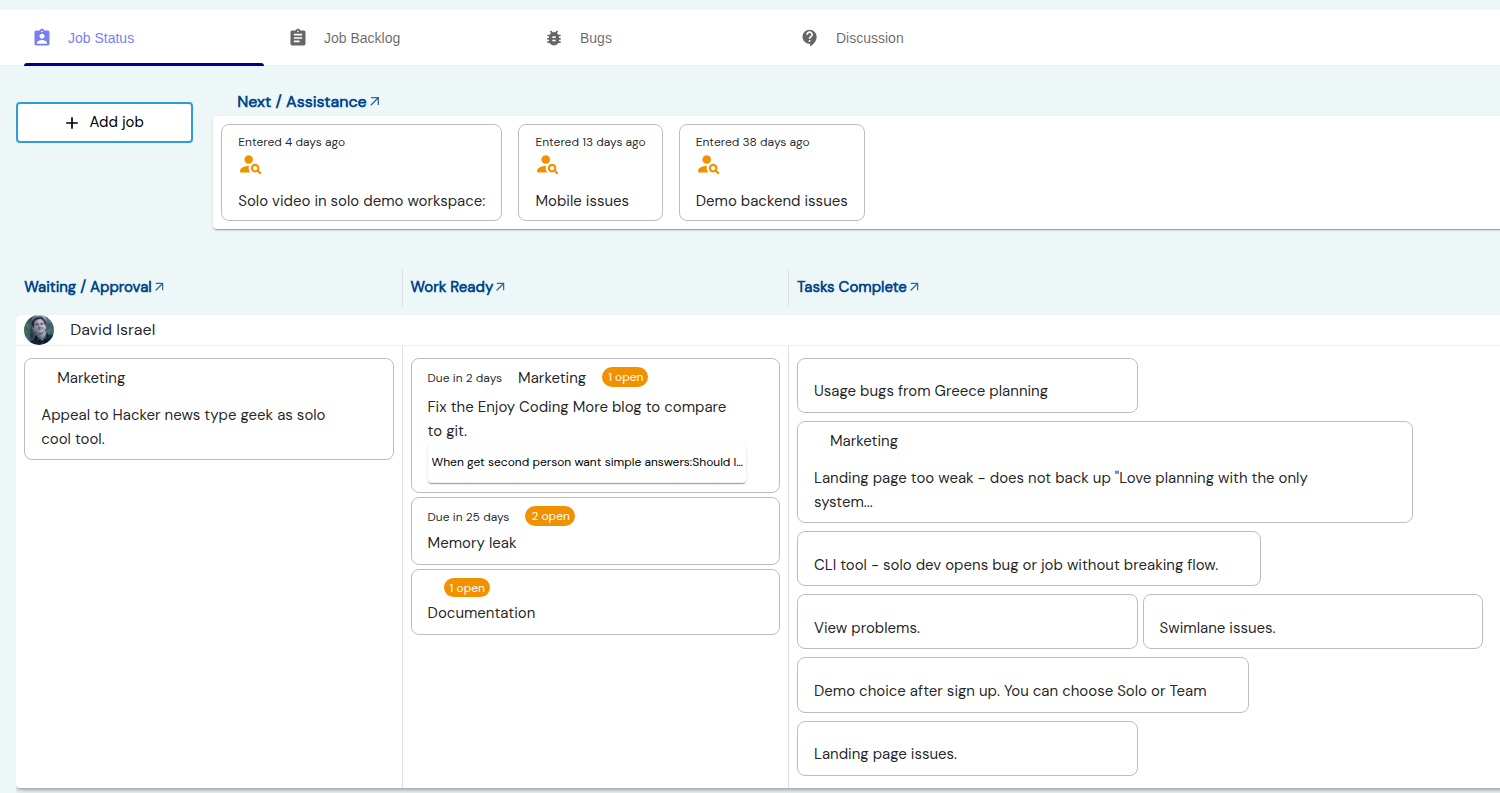
Almost all project management tools mess up the data structure. They either do Task > Subtasks (hiding the actual work deep inside child tasks) or Job > One-line tasks (forcing you to describe complex work without rich text or pictures). We use Job > Tasks > Grouped Tasks where the tasks are full comments that can be resolved or marked in progress.
Codebase connection
Above this Github action updates the deployment status.
I also use the CLI to generate a markdown progress report seen here. I control what shows in that report so by default I screen out the marketing view and any sensitive information jobs.
With minimal setup, CLI syncs your repo’s notes and code TODOs to Uclusion jobs and bugs.
Other details
Every detail to make developer planning easier comes, opinionated, out of the box:
- If I need to make a note on the go I use the mobile interface (PWA) in the view Notes / Discussion section. I can also easily open a critical level bug, paste in a screenshot, and fix the bug or move it inside a job later.
- Job names are derived from descriptions
- The navigation arrow or its keystroke automatically goes to an in progress task or whatever else needs doing
- Drag and drop, context menus, and simple choice driven wizards guide all actions. For instance putting a task or subtask in progress prompts for removing any existing in progress
Team
Just as Git is useful for a solo developer but has many more features for collaboration, so with Uclusion. With a second person, Uclusion helps you get basic questions answered:
- Should I do this work?
- There are some options - which should I take?
- What do you think of this idea?
- Can you review, at a level higher than code, what I’ve done?
The below Uclusion inbox is backed by a helpful wizard for each notification.
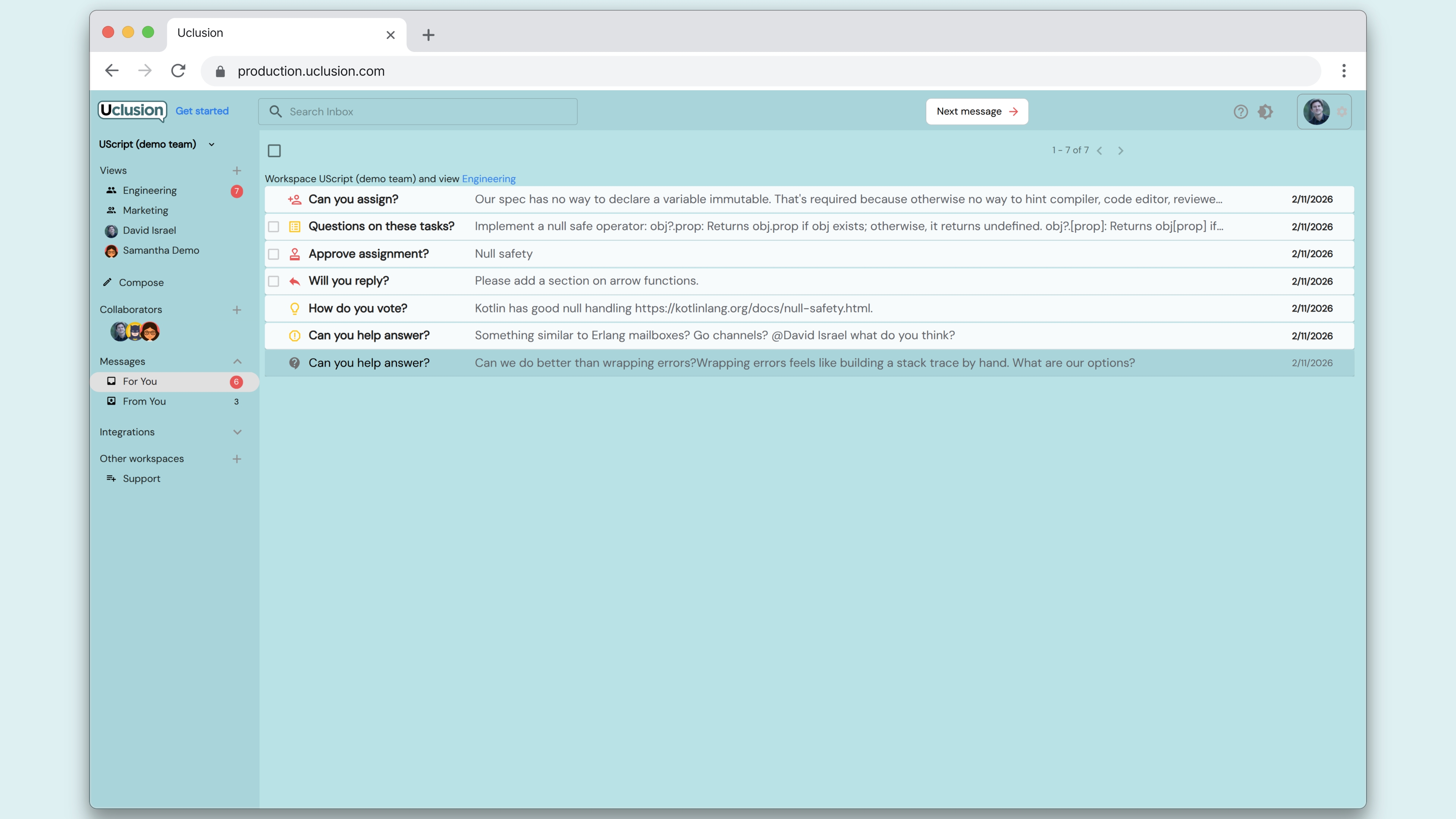 These notifications also, display in job progress, backlog, and bugs tabs with links back to the wizards.
Even though Uclusion is asynchronous, our Slack integration lets you simultaneously have a synchronous alert that assistance is requested.
Other ways Uclusion helps collaboration out of the box:
- Backlog jobs and bug notifications by level, approvals, reviews, estimation, and assistance.
- Move a reply to a task
- Diffs show exactly what changed
- Sanity logic - only an assignee moves a job to approved, approvals expire, question asker decides on options that can be voted, approvals require recording a certainty, you can’t move a job to assistance without saying why, top level comments strongly typed, a new review resolves old ones, a reply can be moved to a task, mentions affect who is notified and how, critical notifications cannot be dismissed without a resolution, and much more
- Placeholder users and catchup notifications for newly joined
- Outbox - track what the team owes you and poke if required
Signing up for free puts you directly into the sandbox demo of your choice.
