
Why I plan with a coding agent in Uclusion, not chat

I’m David, a founder at Uclusion. This is how I work with my coding agent every day, and why I think you’ll want to work this way too.
A great spec still gives you slop
The slop comes from the dozen small decisions the spec never anticipated, the forks where the agent had to pick something and just guessed. The usual fix is a rules file, and it helps. The one Uclusion installs tells the agent to stop and ask instead of guessing. To be clear: you do not need Uclusion for that part (we open source our logic in this blog).
However as Victor Taelin explains a rules file is not enough:
I started using opus 4.8 to help me with it, but I didn’t leave it working alone anymore. instead, I just told it to do something specific (ex: add a location field to LTerm variants, and include located errors on the checker), let it implement quicky (it is FAST) and READ the whole output.
But if you are going to give your AI a bunch of related tasks to do, have it ask questions, respond, and repeat then chat is a very uncomfortable place to work.
Collaborate with Claude Code in Uclusion jobs
First a Uclusion job gives you a better decision interface:
- Its hard to read options in a chat. The more that’s written about the options the further back you have to scroll.
- You can’t easily dive into an option as its own conversation and even harder to comment within several at once.
- A second person can’t easily join. You can’t drop a teammate into your AI chat thread mid-task, and an AI can’t sit in a meeting. Even if you move the AI chat to group chat, figuring out context in an unstructured chat is much harder than in a Uclusion job.
Second you can maintain a backlog of jobs. If you find a glitch after finishing a job just create a new task inside it. The job reopens automatically and the entire communication is available for AI when it takes on the task.
And it is not just one job’s history that stays available — every job’s decisions do. Because each question, option, and approval has a stable id, my agent can reach into a different, already-finished job and pull what we settled there, with the reasoning attached, instead of me re-explaining it. The backlog is not just a to-do list; it is the memory of what we already decided, and a new job starts from it rather than from scratch.
What Uclusion is
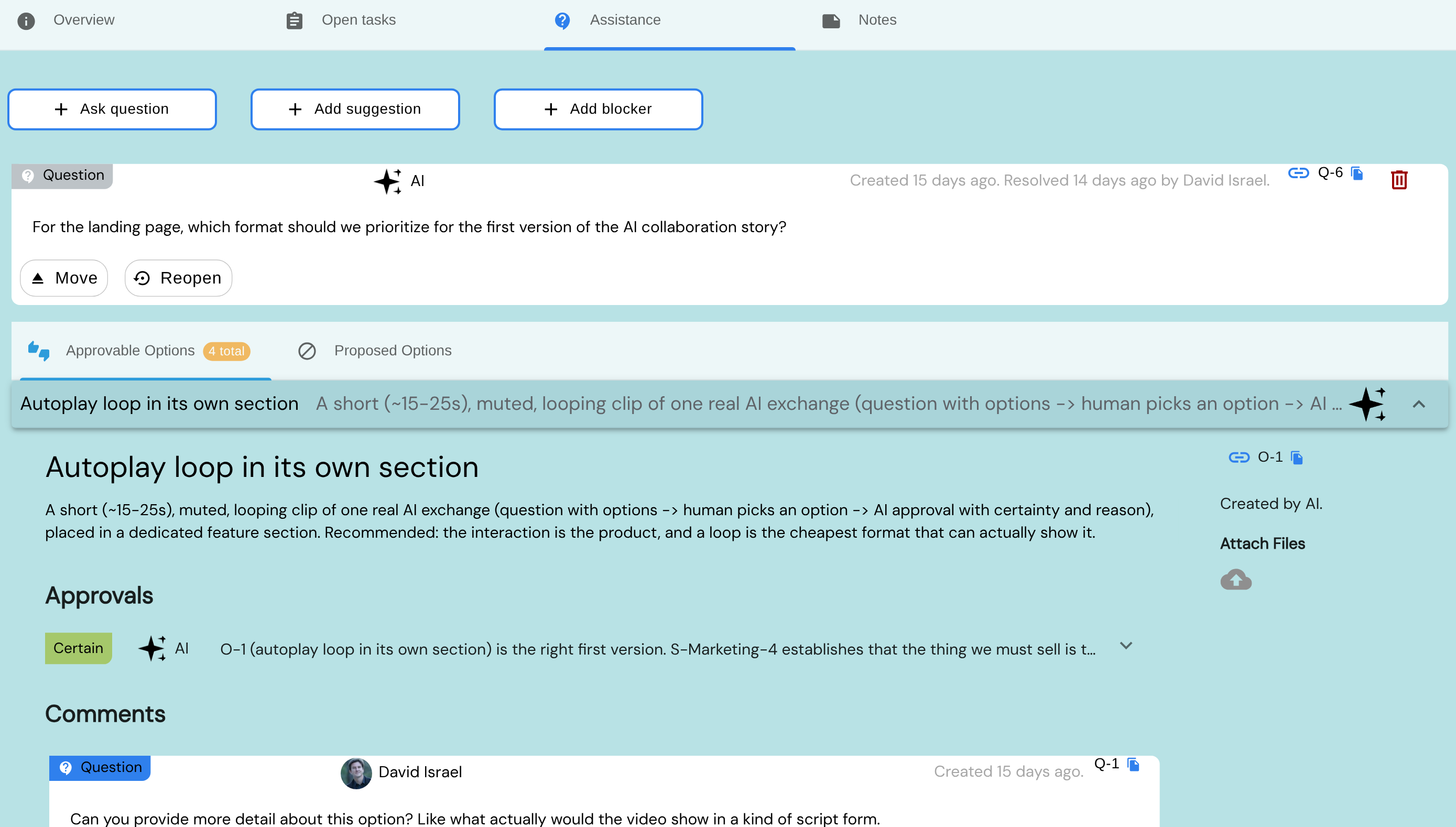
Uclusion is where my agent files its questions, options, approvals, and reviews as durable, structured artifacts — and where I, or a teammate, answer them on our own time. The agent reads the job’s markdown, asks what it would otherwise have guessed, and waits.
Questions and options are a first-class feature here, not a chat blob — another human can easily join and give an opinion.
Lots of other features to be worthy of your backlog management
Almost all project management tools mess up the data structure. They either do Task > Subtasks (hiding the actual work deep inside child tasks) or Job > one-line tasks (forcing you to describe complex work with no rich text or pictures). We use Job > Tasks > Grouped Tasks, where tasks are full comments you can resolve or mark in progress.
And instead of unstructured labels like ‘In Progress’, Uclusion uses built-in job stages, so the system actually understands the true state of a job — which is what lets it offer help wizards, show the right context, and optimize navigation.
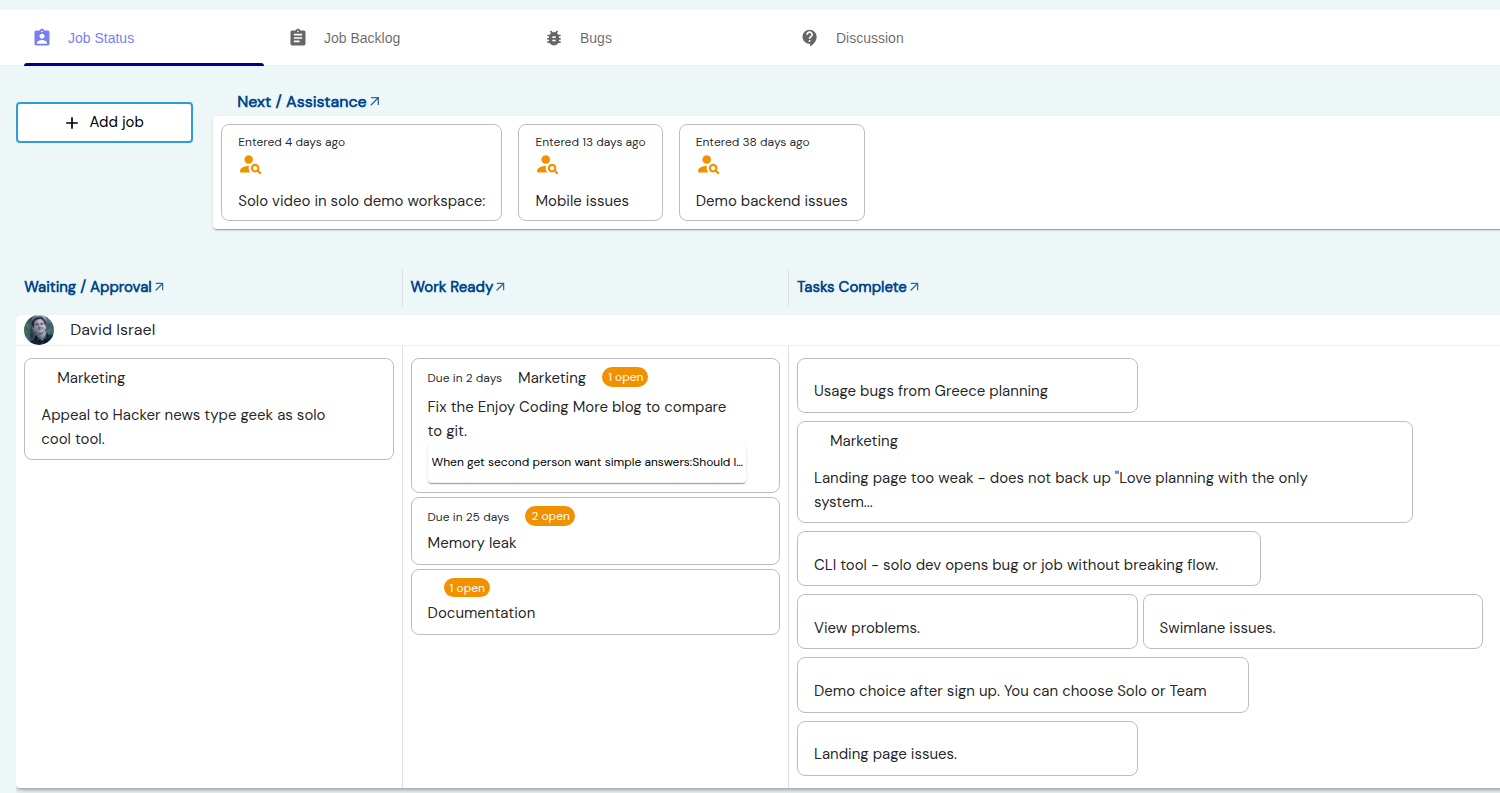
Every detail comes opinionated, out of the box:
- I can use the mobile interface (PWA) for notes on the fly.
- Job names are derived from descriptions.
- The navigation arrow (or its keystroke) jumps straight to whatever needs doing next.
- Drag and drop, context menus, and simple wizards guide every action.
A second person just makes it better
Just as Git is useful solo but has far more to offer a team, so with Uclusion. With a second person it quietly answers the questions that otherwise clog a chat: Should I do this work? There are options — which one? What do you think of this idea? Can you review, above the code, what I’ve done?
Uclusion is async, but our Slack integration still gives you a synchronous nudge when assistance is requested. A few more things that come for free:
- Backlog and bug notifications by level, plus approvals, reviews, estimation, and assistance.
- Diffs show exactly what changed, and a reply can be promoted into its own task.
- Sanity logic everywhere — only an assignee accepts a job, approvals expire and require a certainty, you can’t ask for assistance without saying why, a new review resolves old ones, critical notifications can’t be dismissed without a resolution, and much more.
- An inbox backed by wizard guidance and an outbox that tracks what the team owes you so you can poke when needed.
Signing up is free and puts you straight into the sandbox demo of your choice.
